
What's Inside / Widgets
For the daily battles
Your next right move is already on your home screen.
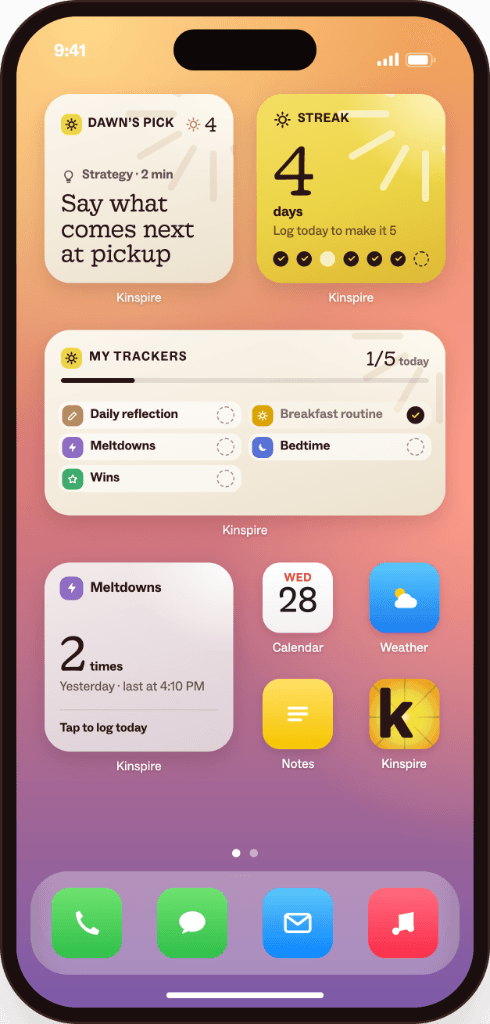
Kinspire widgets put today's battle plan where you'll actually see it. Dawn's Pick, your streak and your battle trackers, right on your phone, before you open a single app.
Free on every plan · No credit card · iOS & Google Play
Parenting advice is everywhere.
Knowing what to do about today's battle?
That's the hard part.You don't need another article at 11 p.m. You need one clear next step for the battle in front of you, chosen for your kid, waiting when you pick up your phone.
Introducing Kinspire Widgets
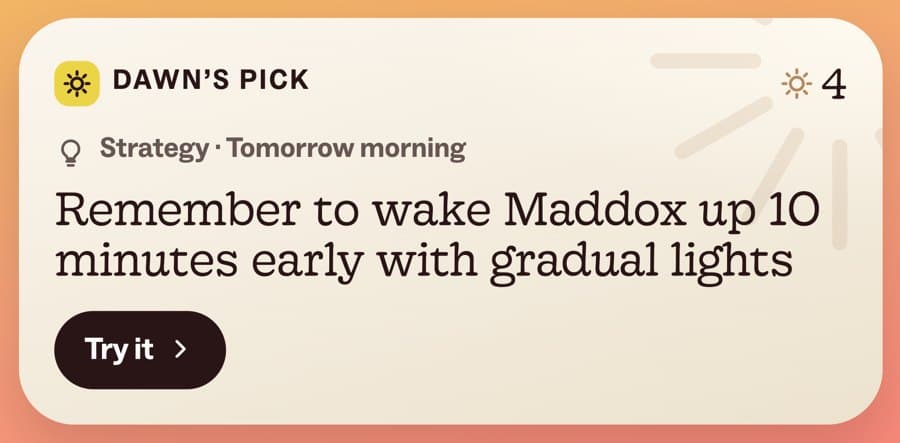
Dawn picks one thing for today's battle. One tap takes you right to it.
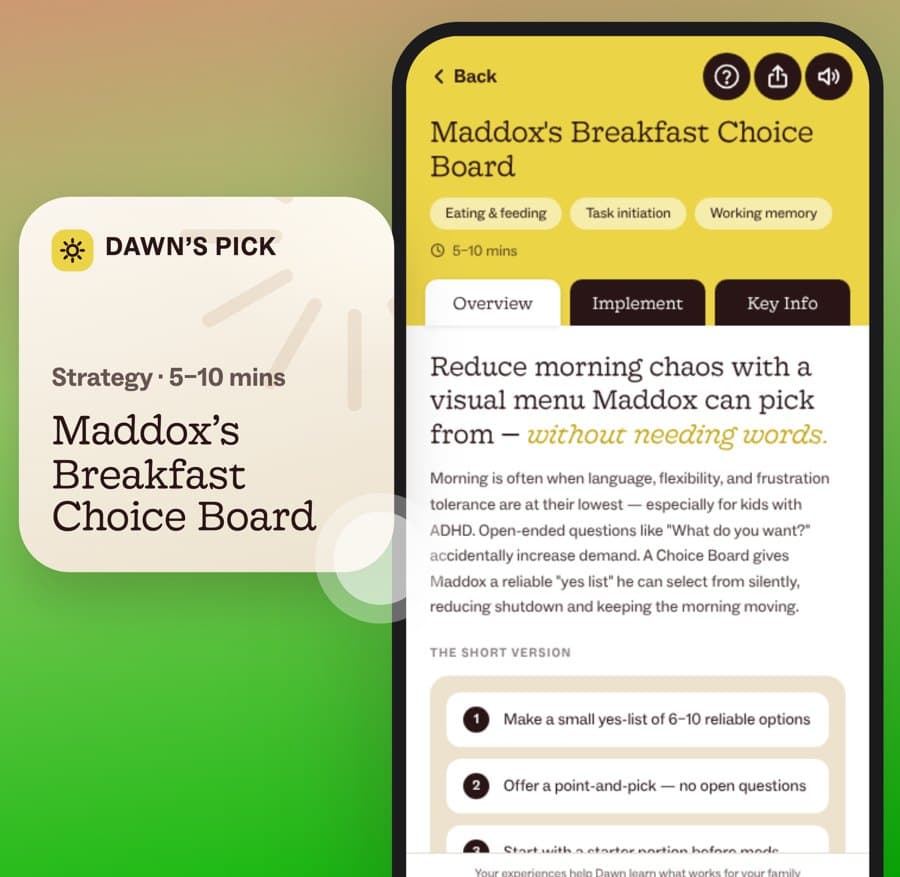
Every day, Dawn, your AI parenting coach, picks the one thing that will help most with your family's battles, based on everything she's learned about you. Tap the widget and you land right on the full plan: the steps, the words to say and the why behind it.
- No digging through the app
- No deciding where to start
- Just the next right move for today's battle
Dawn's Pick
What Dawn might pick.
Some days it's a strategy. Some days it's a question. It's always whatever will help most with today's battle.
A strategy to try at pickup
A step-by-step plan for the battle that's coming, timed for when you'll need it.
The next short read in your series
Five minutes on why this battle keeps happening, written for your child.
A 10-second check-in on a tracker
How did bedtime go? One tap, and Dawn knows what's working.
A new pattern Dawn spotted
Like “Meltdowns spike on days after short sleep,” so you can see the battle coming.
A live coaching session tonight
A workshop or support group on the exact battle you're facing.
One quick question about your child
A single question that sharpens your Family Profile, and every plan after it.
Whatever will help most with today's battle.
Your battles, at a glance
Your day at a glance.
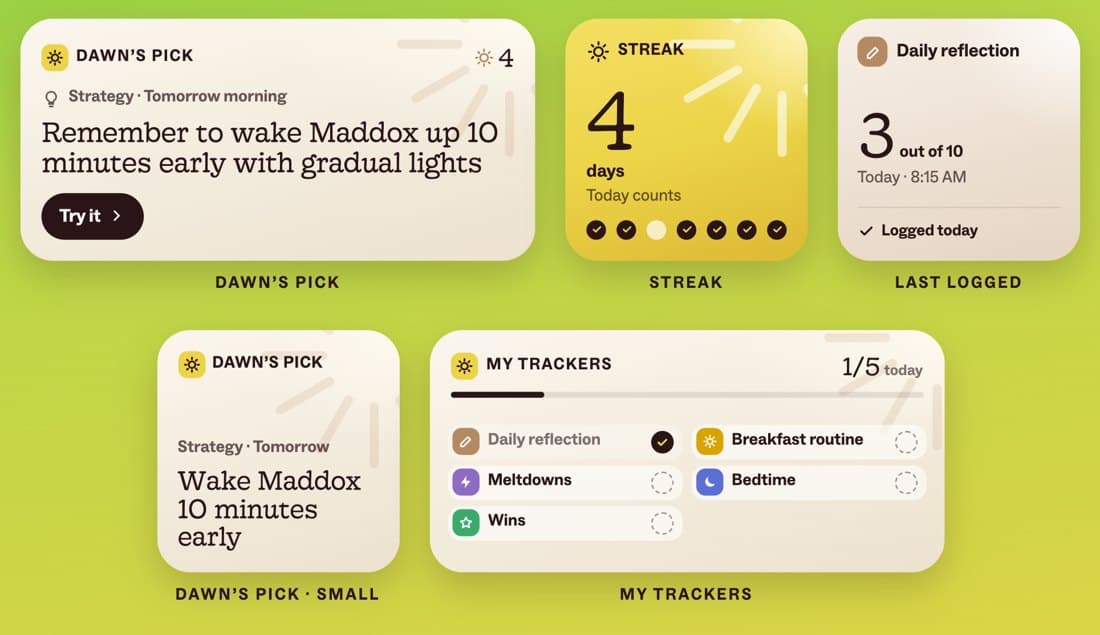
Mix and match. Each widget keeps one part of the habit that busts your daily battles right in front of you.
Dawn's Pick
Today's one thing for your battles. Comes in large and small.
Streak
The days you've shown up. Small steps add up, and you can see it.
My Trackers
Track the battles: meltdowns, bedtime, breakfast routine, wins and your daily reflection.
Last Logged
When the battle last happened, so you can see it shrink. Tap to log it again in seconds.
Why widgets work
The battles end one small step at a time.
A 10-point plan becomes one more thing you're not doing. One step a day, a quick log and a streak you can see make follow-through easy, and every log helps Dawn pick a better step tomorrow.
See how it works →- MorningDawn's Pick shows today's step
- In the momentOne tap opens the plan
- After the battleLog it from My Trackers or Last Logged
- OvernightDawn learns, your streak grows, tomorrow's pick gets sharper
Get ahead of tomorrow's battle in 30 seconds.
Add Dawn to your home screen tonight. Download Kinspire and take your free Clinical Consultation first, so Dawn knows your family's battles and has something to pick from.
- 1Press and hold an empty spot on your home screen
- 2Tap + or Widgets
- 3Search Kinspire
- 4Add Dawn's Pick (and Streak, if you like)
Questions about widgets
Which widgets are there?
Dawn's Pick (large and small), Streak, My Trackers and Last Logged. Add one or all of them.
When does Dawn's Pick change?
Every day. Dawn chooses whatever will help most with your family's battles, based on your Family Profile, your plans and what you've logged.
What happens when I tap a widget?
It opens the right spot in the app: the full strategy, the article, the tracker to log, or the session to join.
Can I log a battle right from my home screen?
Tap My Trackers or Last Logged to log in seconds. Every log helps Dawn pick a better next step.
Are widgets free?
Yes. Widgets are included on every plan, including Starter.
Can other people see my widgets?
They show on your home screen, so anyone looking at your phone could see them. Use a nickname for your child if you'd like, and remove widgets anytime.

Small steps, every single day.
Tomorrow morning, Dawn's first pick for your hardest battle will be waiting.
Free to start · No credit card